Kling O1 Model: Unified Multimodal Video AI (2025 Review)
Kling O1 model review: World's first unified multimodal video AI. Edit videos with text, 18+ tasks, 2K resolution. Released Dec 2025. Features, pricing, guide.
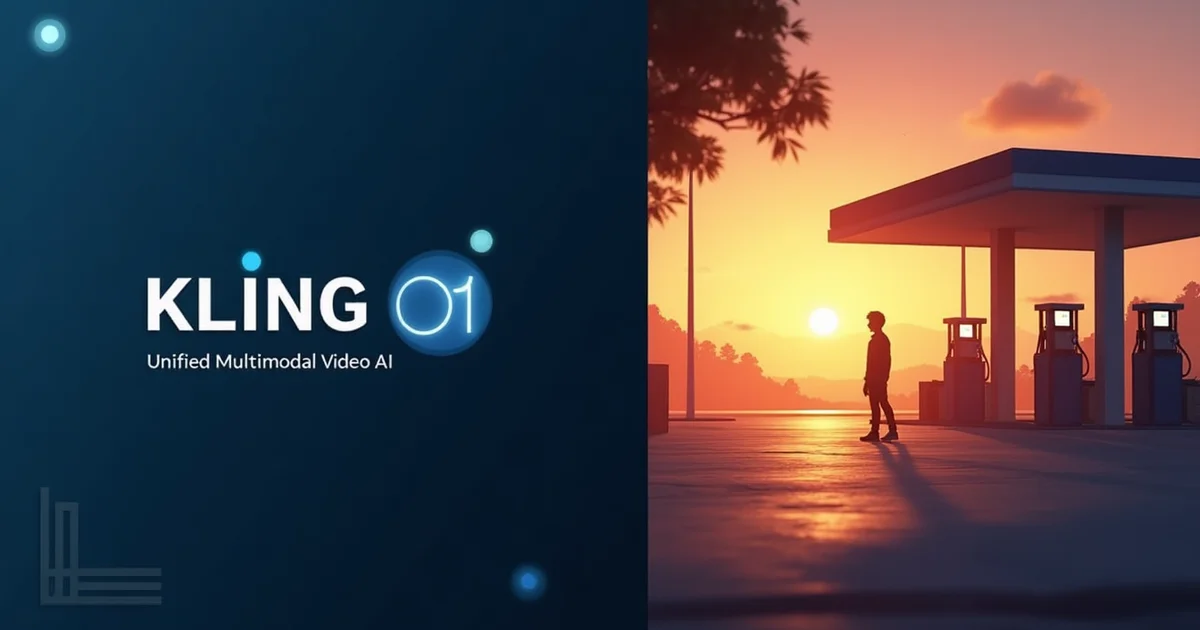
Table of Contents
Kling O1 is the world's first unified multimodal AI video model that handles 18+ video tasks in one platform.
What Makes It Different
Traditional AI video tools: Text → Video only
Kling O1: Text/Image/Video → Generate + Edit + Transform
The breakthrough: Upload your own footage and edit it with text commands like "change weather to rainy" or "swap protagonist with a robot."
Also see: How to Make Animated Videos with AI for another approach to AI video creation.
Key Stats
- Developer: Kuaishou Technology (China)
- Tasks: 18+ generation & editing tasks
- Resolution: Up to 2K (1080p standard)
- Video Length: 3-10 seconds
- Pricing: Starting at $7/month
- Performance: Beats Google Veo 3.1 (247%) & Runway Aleph (230%) in internal tests
4 Core Modes + Chain of Thought
Mode 1: Text-to-Video Generation
Generate cinematic videos from text prompts.
Example: "Robot walking through neon streets at night"
Output: 3-10 sec video, up to 2K resolution, 30fps
Mode 2: Image-to-Video
Animate static images into dynamic videos.
Upload: Any image (character, scene, product)
Result: Natural motion, physics-accurate animation
Mode 3: Video-to-Video Editing (Unique Feature)
Upload existing footage and modify with text:
- "Change time to golden hour sunset"
- "Add heavy rain and fog"
- "Transform style to anime"
- "Remove background people"
- "Replace car with spaceship"
No masking, no keyframes, no VFX software needed.
Mode 4: Reference-to-Video
Upload up to 10 reference images and tag them in prompts:
"Show @image1 wearing outfit from @image2 in location from @image3 at sunset"
Director-level control over characters, props, and scenes.
Chain of Thought (CoT) Reasoning
Kling O1 uses CoT inference to:
- Understand motion dynamics before generating
- Maintain natural physics (gravity, momentum, lighting)
- Keep character consistency across frames
- Plan event logic and timing
Result: More realistic motion vs competitors
Multi-Modal Visual Language (MVL)
Processes text + images + video simultaneously through one unified system.
Traditional tools: Separate models for each task Kling O1: One model understands all inputs together
Kling O1 Pricing (Dec 2025)
Standard - $7/month
- 660 credits/month
- No watermark
- Unlimited length (3-10 sec)
- 1080p quality
Pro - $27/month
- 3,000 credits/month
- Priority processing
- 2K resolution
- All features
Premier - $64.99/month
- 8,000 credits/month
- Fastest processing
- Maximum quality
- Professional use
Performance: Kling O1 vs Competitors
Official Benchmarks (Kling Internal Tests)
vs Google Veo 3.1 Fast:
- Image reference video: 247% better (win ratio)
vs Runway Aleph:
- Instruction transformation: 230% better (win ratio)
Note: These are Kling's internal benchmarks, not independently verified.
Real-World Comparison
Kling O1 Advantages:
✅ Video editing with text
✅ 18+ tasks in one model
✅ Up to 2K resolution
✅ 10 reference images
✅ Chain of Thought reasoning
✅ Lower cost ($7/mo)
Runway Gen-3 Advantages:
✅ More reliable/proven
✅ Better community & tutorials
Pika Labs Advantages:
✅ Better lip-sync
✅ Unlimited plan available
Sora Advantages:
✅ Longest videos (up to 20 sec)
✅ Best physical realism
Best Use Cases
1. Video Editors & Post-Production
Use Kling O1 for: Quick style tests, color grading experiments, VFX pre-visualization
Why: Text-based editing is 10x faster than traditional software for simple changes
2. Content Creators & Filmmakers
Use Kling O1 for: Concept videos, B-roll, storyboard animation, pitch decks
Why: Fast prototyping, affordable, multiple styles
3. Marketing Teams
Use Kling O1 for: Product demos, explainer videos, ad variations
Why: Quick iterations, multi-reference control for brand consistency
Related: AI Marketing Videos Guide
4. Social Media (Short-Form)
Use Kling O1 for: Instagram Reels, TikTok clips, YouTube Shorts (creative/artistic)
Related: Faceless TikTok Ideas • YouTube Shorts Money Guide
5. Educators & Course Creators
Use Kling O1 for: Visual explanations, animated diagrams, concept demonstrations
Why: Educational content with custom visuals at low cost
6. Game Developers
Use Kling O1 for: Character animations, environment concepts, trailer prototypes
Why: Multi-reference support, style control, fast iterations
Pros & Cons
✅ Pros
Unified Platform 18+ tasks (generate + edit + transform) in one tool
Video Editing Breakthrough Only AI video tool that edits existing footage with text
Best Price-to-Feature Ratio $10/mo for editing + generation (competitors: $15-20)
2K Resolution Higher quality than Runway/Pika (1080p max)
Multi-Reference Control 10 images vs competitors' 1-2
Chain of Thought AI Better physics & motion accuracy
Free Tier Available 66 daily credits to test
Performance Beats Veo 3.1 (247%) & Runway (230%) in Kling's tests
❌ Cons
Short Videos Only Max 10 seconds (Sora does 20 sec)
Unverified Benchmarks Performance claims from Kling, not independent
Credit System Failed generations still cost credits
Learning Curve MVL syntax & @ tagging takes practice
Chinese Platform Data privacy concerns for some users (Kuaishou Technology)
Brand New Launched Dec 1, 2025—less proven than Runway
Not Optimized for Social Automation For faceless series automation, better alternatives exist
FAQ
Is Kling O1 free?
No free plan. Standard plan starts at $7/month with 660 credits.
How long are Kling O1 videos?
3-10 seconds per generation. For longer videos, generate multiple clips and stitch together.
Can Kling O1 edit my existing videos?
Yes! Upload your footage and use text prompts:
- "Change weather to snow"
- "Make this cinematic"
- "Remove background people"
No other major AI video tool does this.
Kling O1 vs Runway: Which is better?
Kling O1 wins: Editing, price ($7 vs $15), 2K resolution, 10 references
Runway wins: Reliability, reputation, community
Does Kling O1 allow commercial use?
Yes on paid plans.
What's the difference: Kling O1 vs Kling 2.0?
- Kling 2.0: Text-to-video only, up to 2 min
- Kling O1: Unified model with editing, 3-10 sec, more control
Final Verdict
Kling O1 is a breakthrough for creators needing generation + editing in one affordable tool.
Key Takeaways
✅ First unified AI video model (18+ tasks)
✅ Edit existing footage with text prompts
✅ Best value at $7/mo for 2K resolution + editing
✅ Outperforms Veo & Runway (internal benchmarks)
✅ 10 reference images for creative control
Who Should Use Kling O1
Perfect for: Video editors, filmmakers, marketers, content creators
Not ideal for: Long videos (10+ sec), enterprise use (too new)
Try Kling O1 Models on inReels
Want to use Kling O1 for faceless videos without managing credits?
inReels now integrates Kling models:
- Use Kling O1 for AI video generation
- Automated series scheduling
- Direct posting to YouTube, TikTok, Instagram
- No credit management needed
- Optimized for faceless content
Official Kling O1 Resources:
Kling O1 Platform • Official User Guide
Published: December 2, 2025
Start Creating Video Ads Today
Create UGC-style video ads in minutes. No creators, no waiting, no expensive production. Perfect for TikTok, Instagram Reels, YouTube Shorts, and more.
Try inReels Free →No credit card required