URL to Ad Generator — What It Is, How It Works, and Why It Matters in 2026
URL to Ad generators turn any product link into a video ad using AI. Learn how they work, what they cost, and which one is best for your business.
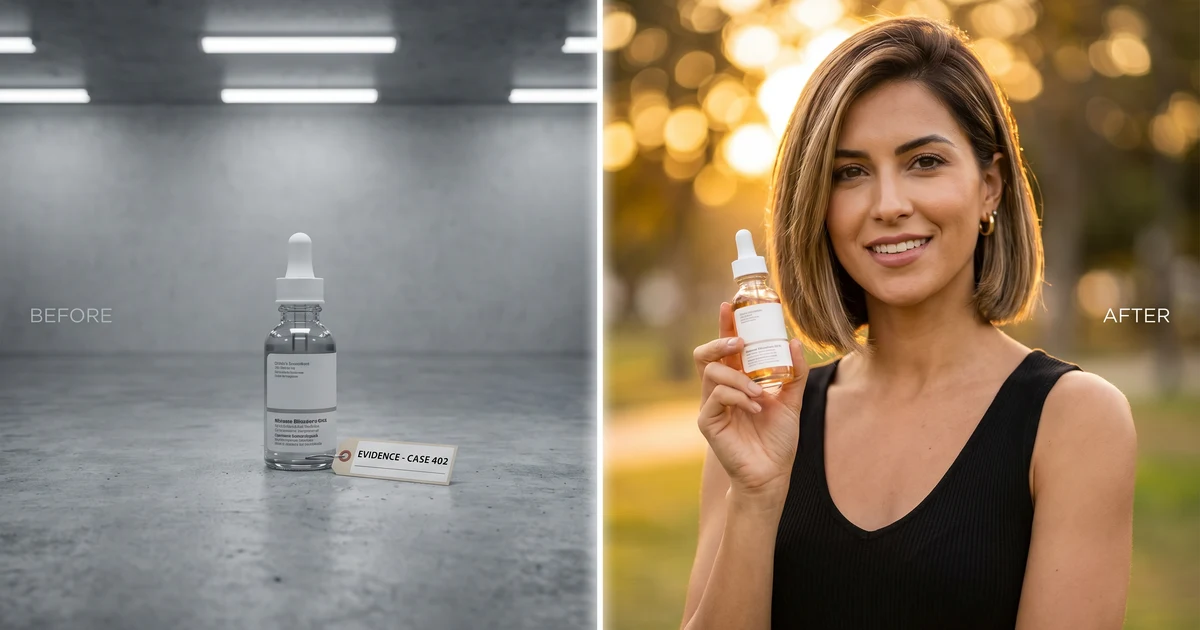
Table of Contents
What Is a URL to Ad Generator?
A URL to Ad generator is an AI tool that takes a product page URL and turns it into a finished video ad.
You paste a link — your Shopify product page, an Amazon listing, an AliExpress product — and the AI does the rest: extracts the product details, writes a sales script, picks an avatar or visual format, and generates a ready-to-run video ad.
No filming. No editing software. No creative brief. No UGC creators. Just a URL in, video ad out.
This category of tools exploded in 2025-2026 because brands realized they need 10-50 ad variations to find winners on TikTok and Meta — and traditional video production can't keep up. URL to Ad tools solve the volume problem.
How URL to Ad Generators Work
Every URL to Ad tool follows roughly the same pipeline, though the quality of each step varies between platforms.
Step 1: Product extraction The AI scrapes your product URL and pulls out: product name, images, price, description, key features, and sometimes reviews. Good tools handle any website. Some tools also let you enter product details manually or upload images directly — useful when you don't have a live product page yet.
Step 2: Script generation AI writes an ad script based on the extracted product data. The best tools use proven ad script frameworks (hook → problem → solution → CTA) and let you customize the tone, angle, and length.
Step 3: Visual creation This is where tools differ most. There are three main approaches:
- Avatar-based (UGC style): An AI avatar speaks the script with lip-synced voiceover, holding or presenting your product. Looks like a real person filmed a review. Best for TikTok and Instagram.
- Template-based: Product images drop into pre-made motion templates with text overlays and music. Looks like a polished branded ad. Best for Facebook and display.
- Footage-based: AI selects stock footage to match the script, adds voiceover and text. Least personal but fastest.
Step 4: Video rendering The tool assembles everything into a downloadable video — typically 15-30 seconds, 9:16 vertical format, optimized for social media ads.
Who Needs a URL to Ad Generator
You need one if:
- You're running paid ads on TikTok, Meta, or YouTube and need fresh creative regularly
- You're testing new products and can't wait weeks for creator content
- You're a one-person brand without a video production team
- You're an agency managing multiple client accounts
- You're a dropshipper testing products before ordering samples
You probably don't need one if:
- You already have a reliable, fast content creation pipeline
- You're not running paid ads at all
- Your product requires complex live demonstration that AI can't replicate
For most e-commerce brands running ads in 2026, some form of URL-to-ad tooling is becoming standard. The question isn't whether to use one — it's which one fits your workflow.
What to Look For in a URL to Ad Generator
Not all URL to Ad tools are equal. Here's what separates the good ones:
1. Input flexibility Can it handle any URL, or only Shopify? Can you also enter details manually or upload images when you don't have a URL? The best tools support all three input methods.
2. Script quality Is the generated script actually good, or is it generic filler? The best tools write scripts that follow proven ad frameworks and sound natural when spoken.
3. Avatar realism For UGC-style tools, the avatar quality matters. Natural lip-sync, diverse avatar options, and realistic product compositing separate good tools from obvious fakes.
4. Speed If it takes 30 minutes to generate one ad, you'll never test at volume. Good tools deliver in under 5 minutes.
5. Variation capability Can you quickly generate multiple versions with different hooks, avatars, and angles from the same URL? This is the whole point — volume testing beats single-shot perfection.
URL to Ad Generator Tools in 2026
The URL to Ad space has several solid players. Here's a quick landscape:
inReels — Paste a URL, enter manually, or upload images. AI generates UGC-style avatar ads with product-in-hand compositing and natural lip-sync. Also does avatar videos, cinematic product showcases, and multiple ad formats. Simple interface, quality output that fits most budgets. Best for: DTC brands and dropshippers who want to move fast.
Creatify — URL to Ad with both avatar-based and template-based formats. Good for teams that want versatility between UGC and branded styles. Solid product extraction. Best for: marketing teams that need multiple ad formats from one tool.
Arcads — Large avatar library with strong multi-language support. Primarily a script-to-video workflow. Best for: agencies creating content across multiple languages and markets.
HeyGen — High-quality avatars with custom avatar creation. Built more for business video and marketing content than short-form ads specifically. Best for: brands wanting a consistent AI spokesperson across channels.
MakeUGC — Focused purely on UGC ad creation with good script generation and hook variations. Best for: brands committed to UGC-style advertising as their primary format.
Each tool has its strengths — the best choice depends on your specific workflow, volume needs, and what kind of ads you're creating.
Tips for Getting Better Results
After generating thousands of URL-to-ad videos, here's what we've learned:
1. The hook matters more than anything else. The first 3 seconds determine whether someone watches or scrolls. If the AI-generated hook is generic ("Are you looking for a great skincare product?"), rewrite it with something specific and curiosity-driven ("This $12 serum replaced my entire skincare routine").
2. Edit the script, even if it's good. AI scripts are a strong starting point, but adding specific numbers ("over 10,000 sold"), naming competitors ("I switched from [brand]"), or adding casual language ("okay this is actually insane") makes them perform better.
3. Test different avatars for the same script. The same script delivered by different avatars can get very different results. A young woman and a middle-aged man selling the same product will resonate with different audiences. Test both.
4. Use URL-to-Ad for rapid testing, not final creative. AI ads are perfect for finding winning products and hooks. Once you find a winner, you can invest in higher-production creative. AI finds the winner, then you scale with confidence.
Start Creating Ads from Your Product
The easiest way to understand URL-to-ad is to try it. Pick a product — your own store, a competitor, a supplier listing — and head to inReels.
Paste a URL, enter details manually, or upload product images. Pick an avatar, generate a script, and see what AI creates in minutes.
The brands winning on paid social in 2026 aren't the ones with the biggest budgets — they're the ones testing the most creative. URL to Ad tools make that possible for everyone.
For a step-by-step walkthrough, see our URL to video ad tutorial — paste a link, pick an avatar, get a finished ad in 60 seconds. Or try it directly with the URL to ad generator tool.
Start Creating Video Ads Today
Create UGC-style video ads in minutes. No creators, no waiting, no expensive production. Perfect for TikTok, Instagram Reels, YouTube Shorts, and more.
Try inReels Free →No credit card required