Amazon Product Video — Requirements, Specs, and How to Create Them in 2026
Everything you need to know about Amazon product videos in 2026. Listing video specs, A+ content requirements, Sponsored Brand video ads, and how to create them with AI without a production budget.
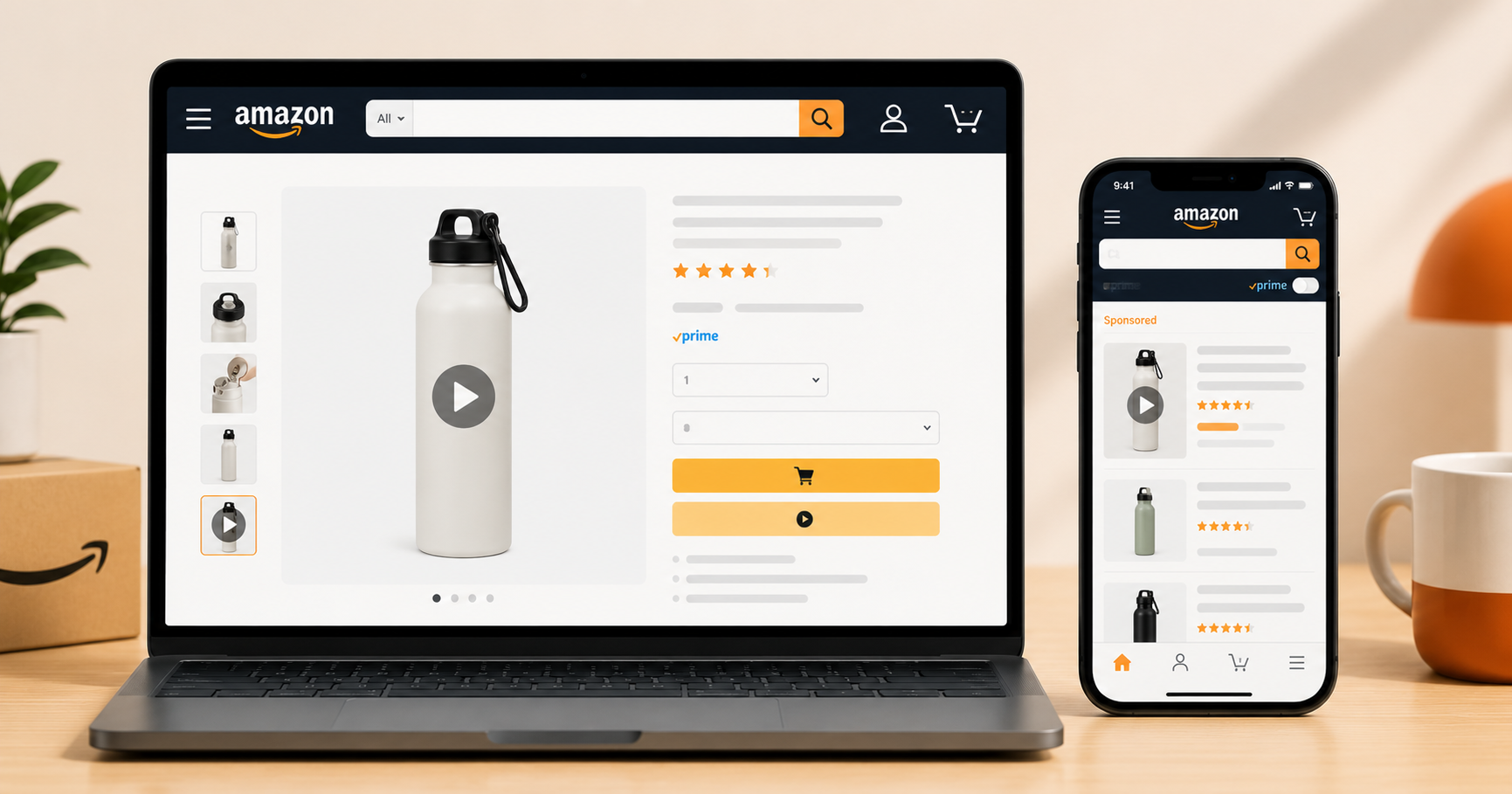
Table of Contents
Why Amazon Product Videos Matter More Than Most Sellers Realize
Amazon product listings with video convert at 3.6x the rate of listings without video, according to Amazon's own internal data. Despite this, fewer than 20% of Amazon listings have a video. That gap is the opportunity.
Amazon product videos appear in three distinct places: on the main listing page (the video carousel), in A+ Content (Enhanced Brand Content), and as Sponsored Brand video ads that appear in search results. Each placement has different requirements, different specs, and a different purpose. Getting any one of them wrong means either your video gets rejected or it underperforms because it is built for the wrong context.
This guide covers every type of Amazon product video — what it is, what it requires, how it works, and how to create it with AI without a production budget. For the broader context of AI video ad creation, the step by step guide to creating UGC ads with AI covers the full workflow. This guide focuses specifically on Amazon's video ecosystem.
What Are the Different Types of Amazon Product Videos?
Amazon has three distinct video placements for sellers, each serving a different function in the buyer journey.
1. Amazon Listing Video (Main Image Carousel)
The video that appears in the image carousel on your product listing page, alongside your main product photos. This is the most visible video placement on Amazon and the one with the highest direct impact on conversion rate.
Listing videos are available to Brand Registry sellers. They appear as a play button thumbnail in the image carousel and autoplay when clicked. Amazon allows up to 8 videos per listing. Most sellers add one, which means adding a second or third video immediately differentiates your listing.
2. A Plus Content Video (Enhanced Brand Content)
Video blocks within the A+ Content section of your listing, which appears below the bullet points and above customer reviews. A+ Content is available to Brand Registry sellers and significantly increases conversion when done well.
A+ Content videos work differently from listing videos. They are embedded within a content module alongside images and text, rather than sitting in the image carousel. They work best for products that benefit from explanation: how the product works, how to use it correctly, comparisons with the old way of doing something.
3. Sponsored Brand Video Ads
These are paid video ads that appear in Amazon search results, typically in the middle of the first page of search results for relevant keywords. Sponsored Brand video ads are the most powerful paid placement on Amazon because they appear directly in the search results rather than as a separate display ad, and they interrupt the buying journey at the exact moment of purchase intent.
Sponsored Brand video ads require an active advertising account and an enrolled brand in Brand Registry. They are sold on a cost-per-click basis and require a tighter video format than listing or A+ content videos.
What Are the Amazon Listing Video Requirements and Specs?
Amazon has specific technical requirements for listing videos. Submitting a video that does not meet these requirements results in rejection without warning.
Amazon Listing Video Specs:
| Spec | Requirement |
|---|---|
| File format | MP4 or MOV |
| Resolution | 1920x1080 (1080p) minimum |
| Aspect ratio | 16:9 horizontal preferred |
| Frame rate | 23.976, 24, 25, 29.97, or 30 fps |
| Maximum file size | 5GB |
| Minimum length | 6 seconds |
| Maximum length | 45 minutes (60 to 90 seconds recommended) |
| Audio | Stereo, AAC codec, 192kbps minimum |
| Video codec | H.264 or H.265 |
Content requirements (things that will get your video rejected):
Amazon's review process is strict. Videos are rejected for any of the following:
Pricing or promotional information in the video itself, such as mentioning a specific price, percentage off, or sale is not allowed. Text overlays that recreate or reference pricing will trigger rejection.
Competitor mentions, like naming or showing competing products by name is prohibited. Comparisons are allowed only if framed as generic category comparisons.
Customer reviews or star ratings displayed within the video, as Amazon prohibits referencing your own reviews within listing video content.
Website URLs or contact information, like external links or contact details in the video content will result in rejection.
Claims that violate Amazon's restricted categories, such as health, medical, or efficacy claims that are not substantiated must be avoided. This is particularly important for supplement and beauty product sellers.
What Amazon listing videos should contain:
The videos that perform best on Amazon are product demonstrations. Show the product being used, unboxed, or assembled. Show the product from multiple angles. Show the product in context, like a gym bag being packed, a kitchen gadget being used, a skincare serum being applied. The goal is to give the buyer the information they need to feel confident making a purchase without being able to hold the product.
What Are the Amazon Sponsored Brand Video Ad Specs?
Sponsored Brand video ads have stricter and different requirements from listing videos because they appear in search results rather than on your listing page.
Amazon Sponsored Brand Video Specs:
| Spec | Requirement |
|---|---|
| File format | MP4 |
| Resolution | 1920x1080 minimum (16:9 aspect ratio) |
| Frame rate | 23.976, 24, 25, 29.97, or 30 fps |
| Maximum file size | 500MB |
| Minimum length | 6 seconds |
| Maximum length | 45 seconds (15 to 30 seconds recommended) |
| Audio | Required, but ads autoplay muted — subtitles are mandatory |
| Video codec | H.264 |
| Aspect ratio | 16:9 (horizontal only — no vertical format) |
Key differences from listing videos:
Sponsored Brand video ads autoplay muted in search results. This is the single most important thing to understand about this placement. If your video relies on audio to communicate the core message, it will not work here. Every key message needs to be visible as text within the video itself.
The best Sponsored Brand video ads are built around one clear visual message that works without sound: a before-and-after demonstration, a product in use with text overlays explaining what is happening, or a simple problem-solution visual sequence. The audio enhances the experience for viewers who tap to unmute, but the visual alone must be enough.
Subtitles are mandatory for Sponsored Brand video ads. Amazon will reject your ad if it does not include subtitles or burned-in captions. Use burned-in captions rather than separate subtitle files for reliability.
How Do You Create Amazon Product Videos with AI?
The AI workflow for Amazon product videos differs slightly from social media ad creation because Amazon's requirements favor product demonstration over personal testimonials. Here is how to approach each video type.
For Amazon Listing Videos
The best listing videos show the product being used in a realistic context. With AI, you have two approaches:
The first is a product showcase video. Take a clean product image, run it through an image-to-video model (Kling or Wan on Replicate), and generate a cinematic product shot with movement. A skincare serum on a marble surface with water droplets, a supplement bottle rotating in studio lighting, a gadget being held and examined. This works well for straightforward products where the visual is compelling on its own.
The second is a talking head explanation video, with an AI avatar holding the product and explaining how it works, what it does, and why it is better. This works well for products that need explanation to convert. Use inReels to generate a 60-second product explanation video with an AI avatar. Then adapt the output to 16:9 format for Amazon's requirements.
For Sponsored Brand Video Ads
The format that works best for Sponsored Brand is the silent product demonstration with text overlays. Since these ads autoplay muted in search results, structure the video as a visual sequence:
Opening frame (0 to 3 seconds): Product name and main benefit as text on screen with the product visible. Middle (3 to 20 seconds): Product in use with text overlays explaining what is happening at each step. Closing frame (20 to 30 seconds): Product shot with a simple text CTA like "Shop Now."
Generate the base product footage with AI, then add text overlays in a simple editing tool like CapCut or DaVinci Resolve before uploading to Amazon.
For A Plus Content Videos
A+ Content videos work best when they answer the specific questions buyers have before purchasing. The most effective format is a short explainer: 60 to 90 seconds, covers what the product is, who it is for, how it works, and what result to expect. Generate this as a talking head video on inReels using a script that addresses the top three purchase objections for your product category.
What Makes an Amazon Product Video Actually Increase Conversions?
Not all Amazon product videos improve conversion equally. The videos that move the needle share a few consistent characteristics.
They answer the buyer's real question
By the time someone reaches your Amazon listing, they have a shortlist of products they are comparing. The question they are trying to answer is not "what is this product" — they already know that from the title and bullets. The question is "why should I pick this one over the others." A product video that answers that specific question will convert. A video that just shows the product spinning on a white background will not.
Look at your own reviews and the reviews of your top competitors. The complaints and the praises in those reviews tell you exactly what buyers care about and what they are uncertain about. Build your video around resolving those specific uncertainties.
They demonstrate, not just describe
Showing beats telling on Amazon. A cleaning product that visibly removes a stain in 10 seconds of video converts better than one that claims "powerful stain removal" in text. A posture device that shows someone's posture improving over 30 seconds of use converts better than a diagram of how it works. Whatever your product does, find a way to show it doing the thing in the video.
They keep the product on screen most of the time
Amazon buyers are in purchase mode. They are not watching your video for entertainment, and are evaluating whether to buy. Keep the product visible and central throughout the video. Cut away to lifestyle context sparingly. If you use an avatar or a spokesperson, they should be holding or using the product rather than talking about it in the abstract.
They include burned-in subtitles
For Sponsored Brand video ads this is mandatory. For listing videos it is optional but strongly recommended. A significant percentage of Amazon shoppers browse in environments where they cannot play audio. Subtitles ensure they get your message regardless.
Frequently Asked Questions
Do I need Brand Registry to add video to my Amazon listing?
Yes. Listing videos and A+ Content are available only to Brand Registry sellers. Sponsored Brand video ads also require Brand Registry enrollment. If you sell as a third-party seller without Brand Registry, you cannot add videos to your listing. Brand Registry requires a registered trademark, which typically takes 6 to 18 months to obtain depending on your jurisdiction.
How long should an Amazon listing video be?
For listing videos, 60 to 90 seconds is the practical sweet spot. This is long enough to demonstrate the product properly, answer the key purchase objections, and show it being used in context, without overstaying the welcome of a buyer who just wants to confirm their purchase decision. For Sponsored Brand video ads, 15 to 30 seconds is optimal because the autoplay muted format rewards brevity.
Can I use AI-generated video on Amazon?
Yes, with caveats. Amazon's content policies prohibit misleading claims and require that product demonstrations accurately represent what the product does. An AI-generated video showing an avatar holding your product and explaining its benefits is acceptable. An AI-generated video that fabricates a demonstration of results the product cannot achieve would violate Amazon's policies. As long as the AI video accurately represents your product's actual benefits, it is permitted.
How long does it take Amazon to review a listing video?
Amazon typically reviews listing videos within 24 to 72 hours. Sponsored Brand video ads have a similar review timeline. If your video is rejected, Amazon will send a notification with a reason code, and the most common reasons are pricing information in the video, prohibited claims, or technical spec violations.
What is the difference between A+ Content and Enhanced Brand Content?
They are the same thing under different names. Enhanced Brand Content (EBC) was the original name for the feature when it was available only to third-party sellers. Amazon later renamed and consolidated it as A+ Content, which is now available to both vendor central and seller central accounts with Brand Registry. If you see references to Enhanced Brand Content in older guides, they are referring to what is now called A+ Content.
Can the same video work for both a listing video and a Sponsored Brand ad?
Not without modification. Listing videos can be up to 45 minutes and do not need to be muted-friendly. Sponsored Brand video ads must be under 45 seconds, must be watchable without audio, and must include subtitles. A 90-second listing video with no text overlays will need to be significantly edited before it meets Sponsored Brand requirements. The practical approach is to produce a 30-second version specifically for Sponsored Brand ads and a separate 60 to 90-second version for your listing.
Create Your Amazon Product Videos with AI Today
inReels lets you generate product explanation videos, talking head demonstrations, and UGC-style product showcases in minutes — all starting from a product URL or image. Export in the formats Amazon requires and upload directly to your listing or ad account.
For creating a broader range of video ad content beyond Amazon, the step by step guide to creating UGC ads with AI covers the full workflow including script writing, avatar selection, and export settings. For the formats that convert across social platforms, the UGC ad examples guide has 15 templates with script structures for each one.
Start Creating Video Ads Today
Create UGC-style video ads in minutes. No creators, no waiting, no expensive production. Perfect for TikTok, Instagram Reels, YouTube Shorts, and more.
Try inReels Free →No credit card required