How to Create Ads With AI — A Beginner's Complete Guide for 2026
How to create video ads with AI in 2026. What AI ad tools actually do, the step by step URL-to-ad workflow, cost vs traditional production, and what to expect from your first AI-generated ad.
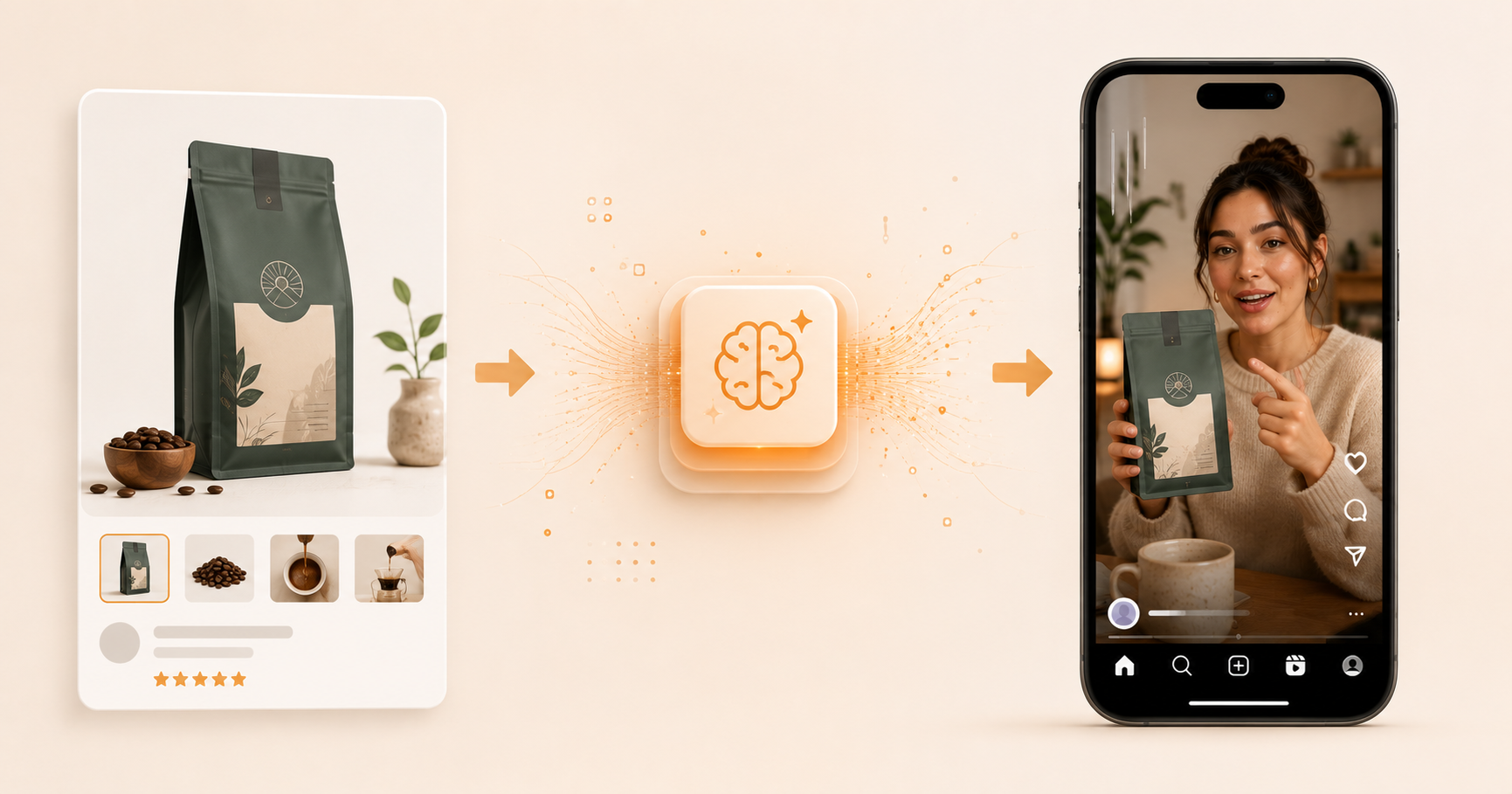
Table of Contents
What Does It Mean to Create Ads with AI?
Creating ads with AI means using software to generate the script, the visuals, the voiceover, and the finished video, without a camera, a creator, a studio, or an agency. You put in your product. You get out a finished ad. The whole process takes under 10 minutes and costs under $2 per video.
This is not a future technology. Brands are using AI-generated video ads on Meta, TikTok, and YouTube today, and many of those ads are outperforming traditional production content on cost per click and return on ad spend. The quality gap between AI-generated and human-produced UGC ads has effectively closed for the formats that matter most in paid social.
This guide is for complete beginners. If you have never made a video ad before, or if you have only worked with agencies and want to understand what doing it yourself with AI actually looks like, this covers everything. For a deeper look at specific platforms, the Facebook video ads guide and the Instagram ad maker guide go into platform-specific detail. This guide focuses on the fundamentals of AI ad creation.
What Do AI Ad Tools Actually Do?
Most people who have not used an AI ad tool imagine it works like magic, you type a product name and a perfect polished video appears. The reality is more interesting and more useful than that.
AI ad tools handle four specific jobs that previously required four separate people or services.
The first is script generation. You describe your product, your audience, and what you want the ad to say. The AI generates a structured 30-second or 60-second script following proven ad frameworks, like a hook, problem, solution, CTA. You edit it, personalise it, make it sound human. This alone used to require a copywriter charging $100 to $300 per script.
The second is avatar selection and voice generation. The tool has a library of AI avatars, very realistic AI-generated people in various demographics, settings, and styles. You pick one that matches your target audience. The tool then generates a voice that fits the avatar's character and reads your script in a natural, conversational tone.
The third is video generation. The tool syncs the avatar's lip movements to the audio, animates natural head movement and eye blinks, composes the shot in the right aspect ratio (9:16 for Reels and TikTok, 16:9 for YouTube), and renders a finished video. This is the step that used to require a video shoot, a director, a camera operator, and an editor.
The fourth is final touches. Captions, background music, text overlays, product shots composited over the avatar. Depending on the tool, some of these are automatic and some require a quick edit in a tool like CapCut.
The result is a finished video ad that looks like something a real creator posted, very casual, direct-to-camera, authentic. For a comparison of the tools that do this well, the best AI UGC ad generators post compares the main options in 2026.
What Do You Need Before You Start?
The barrier to entry for AI ad creation is genuinely low. Here is everything you need and what you can skip.
What you actually need:
A product. Either a URL to your product page, a product image, or a written description of what you sell, who it is for, and what it does. The clearer your product description, the better the AI-generated script will be.
An account on an AI ad tool. inReels starts at $9 per month and gives you enough credits to produce 15 or more video ads. There is also a free tier to test the output quality before committing. For a full comparison of pricing across tools, the how much do AI video ads cost breakdown covers every option.
An ad account on whatever platform you want to run the ads on. For Meta (Facebook and Instagram), you need a Meta Business Manager account and a Facebook Page. For TikTok, a TikTok Ads Manager account. For YouTube, a Google Ads account. Setting these up is free and takes 15 to 30 minutes.
What you do not need:
A camera, lighting equipment, or any filming setup. A creator, actor, or spokesperson. A video editor or design skills. An agency or production company. A large budget, with the minimum to test on Meta is $20 per day.
That is it. A product, a $9 per month subscription, and a free ad account. Everything else the AI handles.
How Do You Create an Ad with AI Step by Step?
Here is the exact process from nothing to a finished, running video ad. This works for any product on any platform.
Step 1: Define your hook (5 minutes)
Before you open any tool, decide what the first 3 seconds of your ad will say or show. The hook is the single most important element of the entire ad, as it determines whether anyone watches the rest.
A strong hook is specific, not generic. It names a real problem, makes a surprising claim, or opens a curiosity gap. "I stopped buying [expensive alternative] after trying this" is a hook. "This product is amazing" is not.
Write three to five different hook options before choosing the best one. You will use the other hooks later to create variations for testing. The UGC hooks that stop the scroll post has 30 templates by product type if you need a starting point.
Step 2: Write your script (10 minutes)
For a 30-second ad, write under 90 words. Use this four-part structure:
Hook (0 to 3 seconds): The one sentence that stops the scroll. Problem (3 to 10 seconds): Describe the situation your target customer is in before they found your product. Specific, empathetic, first person. Solution (10 to 22 seconds): How your product changed the situation. One or two specific results, not a feature list. CTA (22 to 30 seconds): One instruction. Link in bio, shop now, use code X. One, not three.
Read it out loud before moving on. If any sentence sounds like it was written by a marketing team, rewrite it to sound like something a real person would say to a friend.
Step 3: Generate the video (10 minutes)
Go to inReels. Either paste your product URL (the tool extracts the product name, images, and description automatically) or upload a product image and enter a brief description.
Enter your script in the script field. Select an avatar that demographically matches your target customer. If you sell skincare to women 25 to 40, pick an avatar in that range. If you sell supplements to active men, pick accordingly.
Hit generate. The tool produces a finished video in 3 to 5 minutes. While it generates, move to the next step.
Step 4: Add captions (5 minutes)
When the video is ready, add captions before downloading. Around 85% of people on Instagram, TikTok, and Facebook watch videos without sound. Captions are how most of your audience will actually consume the ad. Most tools have built-in captioning. Review the captions for accuracy, as brand names and product-specific terms frequently get mistranscribed.
Step 5: Export and create variations (10 minutes)
Export the video in 9:16 format at 1080x1920. This works for Instagram Reels, TikTok, Facebook Reels, Stories, and YouTube Shorts.
Then go back and generate two more versions using your other hook options from step 1. Keep everything else, like the avatar, script body, CTA identical. Change only the first 3 seconds. You now have three video ad variations ready to test.
Step 6: Upload to your ad account and launch
For Meta: open Meta Ads Manager, create a new Sales campaign, select Advantage+ Shopping Campaign, upload all three videos as separate ads in the same ad set. Set daily budget to $20. Launch.
For TikTok: open TikTok Ads Manager, create a new campaign with the Website Conversions objective, upload the videos, set daily budget to $30 minimum. Launch.
The first 48 hours will tell you which hook is winning on CTR. After 5 days you will have enough data to identify the creative winner and cut the others. The UGC ad KPI benchmarks guide covers exactly what numbers to watch and when.
How Much Does AI Ad Creation Cost vs Traditional Methods?
The cost difference between AI ad creation and every other method is significant enough to change how most brands think about creative testing.
| Production method | Cost per video | Time to first video | Variations for $500 |
|---|---|---|---|
| AI tool (inReels) | Under $2 | 10 minutes | 250 or more |
| Freelance UGC creator | $150 to $500 | 7 to 14 days | 1 to 3 |
| UGC agency | $400 to $1,200 | 10 to 21 days | Less than 1 |
| In-house creator | $75 to $250 (time cost) | 1 to 3 days | 2 to 6 |
| Traditional production | $2,000 to $10,000 | 3 to 6 weeks | Less than 1 |
The number that matters most in the last column: with $500 and AI, you can produce 250 video variations. With a freelance creator, you get one to three. With an agency, you might not even get a single finished video.
This changes the entire creative testing strategy. When each variation costs $2 to produce, you can afford to test 10 different hooks, 5 different avatars, 3 different CTAs, and 4 different script structures before committing to a single creative direction. That testing velocity is impossible at agency pricing.
The full cost breakdown for AI video ads covers pricing across all tools and methods in detail including the hidden costs of each approach.
What Should You Expect from Your First AI-Generated Ad?
Being honest about what AI ad tools produce right now helps you set the right expectations and use them effectively.
What the output actually looks like:
A good AI UGC ad looks like something a real person filmed on their phone in a natural setting. The avatar speaks conversationally, holds the product naturally, makes eye contact with the camera, and has realistic head movement and blinking. On a phone screen during a scroll, well-made AI UGC is genuinely difficult to distinguish from footage of a real creator.
The output quality varies significantly by tool and by the quality of your input. A generic, marketing-language script produces an ad that feels hollow even with a high-quality avatar. A specific, conversational script produces an ad that feels real. The script is always the variable that matters most.
What might not be perfect on the first try:
Lip sync occasionally goes slightly off toward the end of longer clips, particularly for avatars saying longer or more complex sentences. The fix is to break longer scripts into shorter sentences with natural pauses.
The avatar's hands can look unnatural if they are supposed to be handling a product that was not provided as a reference image. Providing a clean product image and selecting an avatar style that suits product-holding generates better compositing.
Background environments are generated and may occasionally look slightly artificial on close inspection. For most mobile viewing contexts this is not noticeable, but if it bothers you, stick to avatars in simple settings, like a sunlit room, a plain backdrop, a minimal environment.
The right mindset:
Treat your first AI ad as a test, not a final product. Generate it, run it at a small budget, and let the performance data tell you if the hook and script are working. If they are, the AI quality is good enough, then real buyers are clicking through and purchasing. If they are not, the problem is almost always the script or the hook, not the production quality.
Frequently Asked Questions
Can complete beginners make ads with AI?
Yes. The main AI ad tools are designed for people without video production or marketing backgrounds. You do not need to know how to edit video, write ad copy professionally, or understand technical specs. The tools handle all of that. What you do need is a clear understanding of your product and your customer — the AI cannot invent a compelling hook if you cannot describe why your product is worth buying.
How long does it take to make an ad with AI?
The first time takes about 45 minutes from start to a finished video including writing your hook and script, generating the video, adding captions, and exporting. By your third or fourth video the process is under 20 minutes. By the tenth it is closer to 10.
Will people know my ad is AI-generated?
On a phone screen during a scroll, well-made AI UGC is difficult to detect. The primary signal that an ad is AI-generated is not the avatar quality, it is the script. Stiff, marketing-language scripts make even a high-quality avatar feel artificial. Conversational, specific scripts with a high-quality avatar are genuinely hard to identify as AI-generated in a casual viewing context. Both Meta and TikTok have added disclosure requirements for realistic AI content as of 2025 to 2026 — check current platform policies before launching.
Which AI ad tool should a beginner start with?
For ease of use and output quality, inReels is the recommended starting point. It covers the full workflow from product URL to finished video in one place. The best AI UGC ad generators comparison covers the full range of options if you want to evaluate before choosing.
Do I need marketing experience to make AI ads work?
You need a basic understanding of your customer and their problem. That is it. You do not need to know media buying, creative strategy, or ad platform mechanics to produce your first AI ad. The strategic layer, like how to test, what metrics to watch, how to scale, comes after you have made your first few ads and seen what the data tells you.
What is the difference between AI-generated ads and traditional ads?
The main differences are cost, speed, and volume. Traditional production takes weeks and costs thousands. AI takes minutes and costs under $2. The output style is also different, as AI excels at producing UGC-style talking head content, which is currently the highest-converting format on Meta and TikTok for cold audiences. It is less suited for highly produced brand films, cinematic campaigns, or anything that requires real human demonstration of a complex product.
Make Your First AI Ad Today
inReels is the fastest way to go from product to finished video ad. Paste your URL, write your hook, pick an avatar, generate. Under 10 minutes. Under $2. Plans start at $9 per month.
The free AI UGC video generator lets you test output quality before committing to anything.
Once you have your first video, the UGC ad examples guide has 15 format templates to try next. And when your ads are running, the UGC ad KPI benchmarks guide tells you exactly what numbers to watch in the first 48 hours.
Start Creating Video Ads Today
Create UGC-style video ads in minutes. No creators, no waiting, no expensive production. Perfect for TikTok, Instagram Reels, YouTube Shorts, and more.
Try inReels Free →No credit card required