Google Video Ads — How to Create YouTube Shorts Ads with AI in 2026
Complete guide to Google video ads and YouTube Shorts ads in 2026. Ad types, specs, targeting setup, and how to create YouTube video ads with AI in under 10 minutes.
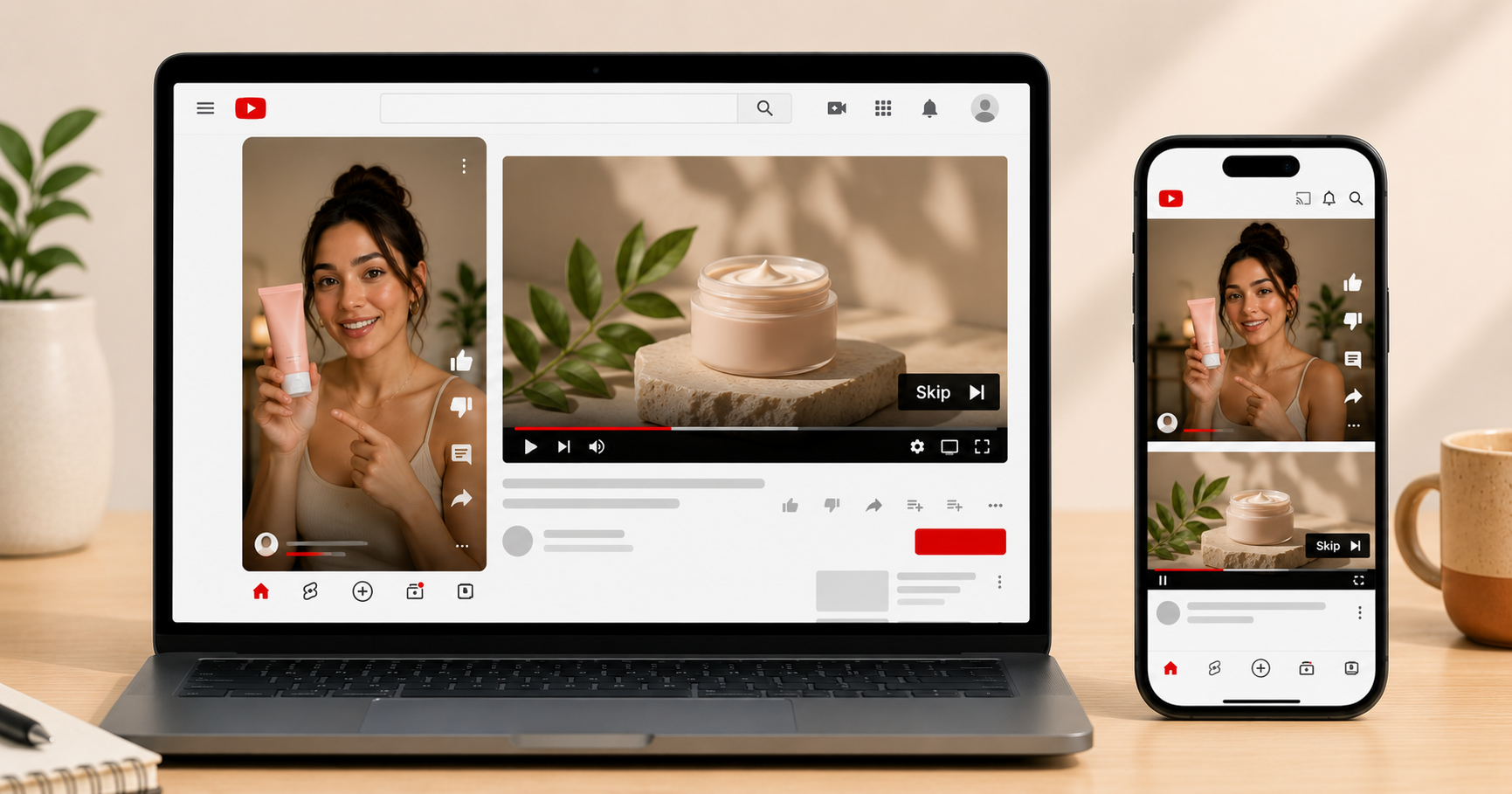
Table of Contents
Why Google Video Ads and YouTube Are Worth Your Attention in 2026
YouTube has over 2.7 billion logged-in monthly users and is the second largest search engine in the world. Google video ads, which run across YouTube and Google's Display Network can reach audiences at a fundamentally different moment than Meta or TikTok ads. On Meta, you interrupt someone scrolling through their feed. On YouTube, you reach someone who is actively searching for or watching content related to your product category. That intent difference changes everything about how these ads work and how to make them.
YouTube Shorts ads specifically have become a major opportunity in 2026. Shorts has crossed 70 billion daily views globally, and Shorts ads carry the lowest CPM of any YouTube format while delivering strong view-through rates because the short format forces creative discipline. With AI tools like inReels, creating a finished Shorts ad takes the same 10 minutes as any other vertical video format.
This guide covers every Google video ad type, their specs, how targeting works on YouTube versus Meta, and the exact workflow to create Google video ads with AI. For the broader UGC creation process, the step by step guide to creating UGC ads with AI covers scripts and avatars in detail.
What Are the Different Types of Google Video Ads?
Google video ads is an umbrella term for several distinct ad formats that run across YouTube and Google's broader video network. Each format behaves differently and requires a different creative approach.
Skippable In-Stream Ads
These play before, during, or after YouTube videos. Viewers can skip after 5 seconds. You are charged only when the viewer watches 30 seconds or more (or the entire video if it is under 30 seconds) or takes an action like clicking the CTA.
The 5-second skip rule is the defining creative constraint. Your hook must be strong enough in the first 5 seconds to convince someone who has their thumb on the skip button to keep watching. Unlike Meta where you are trying to stop a scroll, on YouTube you are trying to survive a skip. The opening needs to create immediate curiosity or speak directly to a pain point the viewer recognizes.
Skippable in-stream works best for products that benefit from slightly longer explanation, anything over 30 seconds where you want to tell a complete story.
Non-Skippable In-Stream Ads
These play before or during YouTube videos and cannot be skipped. Maximum 15 seconds. Viewers must watch the entire ad before continuing to their content.
Non-skippable ads reach a captive audience but create a different relationship than skippable. You have 15 seconds of guaranteed attention, but the viewer knows they are being held, which means the creative needs to earn that attention quickly or it generates negative brand association. Use non-skippable for brand awareness with an audience that already knows you, not for cold audiences who have never heard of your product.
YouTube Shorts Ads
These appear between organic Shorts in the Shorts feed, very similar to how TikTok and Instagram Reels ads work. Viewers can skip after viewing. Maximum 60 seconds, but 15 to 30 seconds performs best.
Shorts ads are the most direct equivalent to Meta Reels and TikTok ads on YouTube. The creative format is the same, vertical 9:16 video, native-looking content, UGC style. If you already have a working Meta or TikTok creative in 9:16, adapting it for YouTube Shorts ads requires minimal effort.
Bumper Ads
Six-second non-skippable ads. They play before, during, or after other YouTube videos. Too short for any meaningful product explanation, like bumper ads are purely for brand awareness and work best as reinforcement alongside longer-form campaigns. Not the right format for a new store trying to acquire customers.
In-Feed Video Ads (formerly Discovery Ads)
These appear in YouTube search results, the YouTube homepage, and the YouTube Watch Next feed. They look like organic YouTube videos with a small "Ad" label. Viewers click to watch, and you are not interrupting anything, the viewer actively chose to watch your ad.
In-feed video ads are underutilized by DTC brands and worth considering for products with strong search demand on YouTube. A how-to video or a product demonstration that genuinely answers a search query can generate significant organic-feeling traffic.
What Are the YouTube Video Ad Specs for 2026?
Using incorrect specs means your ad gets rejected or renders poorly. Here are the current specs for every Google video ad format.
Skippable In-Stream Ads:
| Spec | Requirement |
|---|---|
| Aspect ratio | 16:9 horizontal (preferred), 9:16 vertical (supported) |
| Resolution | 1280x720 minimum, 1920x1080 recommended |
| Maximum length | No limit (30 to 90 seconds recommended) |
| Minimum length | 12 seconds |
| File format | MP4, MOV, AVI, or WMV |
| Maximum file size | 256GB or 12 hours |
| Frame rate | 24 to 60 fps |
Non-Skippable In-Stream Ads:
| Spec | Requirement |
|---|---|
| Aspect ratio | 16:9 |
| Resolution | 1280x720 minimum |
| Maximum length | 15 seconds |
| File format | MP4, MOV, AVI, or WMV |
YouTube Shorts Ads:
| Spec | Requirement |
|---|---|
| Aspect ratio | 9:16 (vertical) |
| Resolution | 1080x1920 recommended |
| Maximum length | 60 seconds |
| Recommended length | 15 to 30 seconds |
| File format | MP4 or MOV |
| Maximum file size | 256GB |
| Frame rate | 24 to 60 fps |
Bumper Ads:
| Spec | Requirement |
|---|---|
| Aspect ratio | 16:9 |
| Maximum length | 6 seconds exactly |
| File format | MP4, MOV, AVI |
The practical rule for most brands: Produce Shorts ads in 9:16 at 1080x1920. This is the same format as your Meta and TikTok creative, which means you can repurpose winning vertical creatives across all three platforms. For skippable in-stream, you may need a separate 16:9 horizontal version, or use YouTube's video cropping tool in Google Ads to adapt your 9:16 vertical.
How Does YouTube Ad Targeting Work?
YouTube ad targeting works fundamentally differently from Meta. On Meta, you target based on demographic and interest signals, and the algorithm finds people likely to purchase. On YouTube, you target based on what people are actively watching and searching for, as the intent signals are explicit rather than inferred.
Audience targeting options on YouTube:
Customer Match lets you upload a list of email addresses (from your Shopify customer list or email subscribers) and target those specific people on YouTube. This is the most precise targeting available and is best used for retargeting existing customers or warm leads.
Similar Audiences (now called Optimized Targeting in Google Ads) finds people who share characteristics with your existing customers. Works similarly to Meta's Lookalike Audiences and is the recommended approach for cold audience acquisition.
Interest and affinity audiences let you target people based on their demonstrated interests, like the things they have searched for, watched, and engaged with on YouTube. The difference from Meta interest targeting is that YouTube interests are based on actual watch behavior, which is a stronger signal than self-reported interests.
In-market audiences target people who are actively researching purchases in specific categories. If you sell supplements, targeting the "Health and Wellness In-Market" audience reaches people who have been searching for supplements and related products recently. This is one of the most conversion-friendly targeting options on YouTube.
Keyword targeting (unique to YouTube):
You can target your ads to show before or during videos about specific topics. A fitness equipment brand can target videos about home workouts. A skincare brand can target videos about skincare routines. This contextual targeting is unique to YouTube among social platforms and can be highly effective because the viewer is already in a relevant mindset.
The practical targeting setup for a new brand:
Start with In-Market audiences relevant to your product category, layered with keyword targeting for your most relevant search terms. This combination reaches people with demonstrated purchase intent in your category, which is a stronger starting signal than interest-based targeting alone.
How Do You Create YouTube Video Ads with AI?
The AI workflow for YouTube ads differs slightly by format. Here is how to approach each one.
For YouTube Shorts Ads (9:16 vertical, 15 to 30 seconds)
This is the most direct translation from your Meta creative workflow. If you have already been making UGC-style vertical video ads for Instagram or TikTok, you can use the same creative on YouTube Shorts with minimal adjustment.
The one meaningful difference is the viewer context. On Instagram Reels and TikTok, your audience is in an entertainment and discovery mindset. On YouTube Shorts, a growing percentage of viewers are there for information, such as how-to content, product reviews, tutorials. A hook that frames the video as informational ("here is what nobody tells you about [product category]") can outperform a pure entertainment hook on Shorts.
Generate your Shorts ad on inReels the same way you would for Meta: product URL or image, script following the hook-problem-solution-CTA structure, avatar matched to your target audience, 9:16 export. The step by step guide to creating UGC ads with AI covers the full process.
For Skippable In-Stream Ads (16:9 horizontal, 30 to 90 seconds)
The 5-second skip rule changes the creative structure. Your hook must appear immediately, like in the first 2 seconds, not the first 5. The visual in the opening frame needs to be striking enough to give someone a reason to take their thumb off the skip button.
A proven structure for skippable in-stream: Opening (0 to 5 seconds): A specific claim or an unexpected visual that creates immediate curiosity. The product should be visible. Middle (5 to 25 seconds): Demonstration or explanation. Skippable in-stream rewards slightly more informational content than Shorts because the viewer who stayed past the skip has already opted in. Close (25 to 30 seconds): CTA with your product name and where to find it.
Generate the base talking head content with inReels, export in 9:16, then use a simple editing tool to add a horizontal crop or adapt to 16:9 for in-stream placement.
For Non-Skippable Ads (15 seconds)
Keep it simple. One clear message, one visual, one CTA. Non-skippable ads work best when the creative does not feel like an ad, but it feels like a short piece of content that happens to mention a product. A 15-second before-and-after visual with a simple text CTA often outperforms a more complex script for this format.
Should You Run Google Video Ads or Meta Ads First?
For most DTC brands starting out, Meta should come before YouTube. Here is why and when to make the switch.
Why Meta comes first:
Meta's attribution and pixel data are more mature for direct-response purchases. The minimum viable budget is lower, $20 per day on Meta versus $30 to $50 effectively on YouTube to exit the learning phase. And Meta's creative testing workflow (multiple variations, Advantage+ optimization) is faster and more efficient for finding winning hooks.
YouTube is better for products that benefit from search intent, like the things people actively look for, and for brands building awareness alongside direct response. It rewards slightly more informational creative than Meta, which means the creative that works on Meta may need adaptation for YouTube.
When to add Google video ads:
Add YouTube Shorts ads once you have a proven 9:16 creative from Meta or TikTok. The repurposing cost is minimal, you already have the video, you are just running it on another platform. This is usually the right move at month 2 or 3 when you have enough budget to manage two platforms simultaneously.
Add skippable in-stream ads when you want to target YouTube viewers who are actively watching content in your category. This is particularly powerful for products where the purchase decision involves research, like the viewer watching a "best supplements" review video is a high-intent prospect for a supplement brand.
| Platform | Best for | Minimum daily budget | Best creative format |
|---|---|---|---|
| Meta (Facebook/Instagram) | Cold audience acquisition, impulse products | $20 | UGC talking head, 9:16 |
| TikTok | Under-30 audience, trend products | $30 | Native-style UGC, 9:16 |
| YouTube Shorts | Cross-platform repurposing, informational hooks | $20 | Same as Meta creative |
| YouTube In-Stream | Considered purchases, search intent audiences | $30 | Horizontal, 30 to 90 seconds |
For the full platform comparison including Instagram and Amazon, the Shopify video ads complete guide covers where to run ads at each stage of your store's growth.
Frequently Asked Questions
How much do YouTube video ads cost?
YouTube video ads are priced on a cost-per-view (CPV) or cost-per-thousand-impressions (CPM) basis depending on the campaign type. Typical CPV for skippable in-stream ads ranges from $0.03 to $0.30 per view. CPM for YouTube Shorts ads typically runs $5 to $15, which is lower than Meta for most product categories. You set a daily budget in Google Ads and the system optimizes delivery within that budget.
Do I need a Google Ads account to run YouTube ads?
Yes. YouTube ads are managed through Google Ads, not through YouTube directly. You need a Google Ads account, a linked YouTube channel (for in-stream formats), and a campaign set up within Google Ads. The setup is more technical than Meta Ads Manager but follows a similar structure: campaign, ad group, ad.
What is the minimum budget to test YouTube video ads?
You can start Google Ads campaigns at $1 per day technically, but you will not get meaningful data below $20 per day. For Shorts ads specifically, $20 per day is enough to generate 1,000 to 3,000 impressions per day, which gives you data on CTR within 3 to 5 days. For in-stream campaigns targeting broader audiences, $30 per day is a more realistic minimum.
Can I use the same video for Meta and YouTube?
For YouTube Shorts and Meta Reels or TikTok, yes. If your video is in 9:16 at 1080x1920, it meets the specs for all three platforms. For YouTube in-stream placements, you need a 16:9 horizontal version. Many brands maintain both aspect ratios of their best-performing creatives to cover all placements.
How do YouTube ads compare to TikTok ads for DTC brands?
TikTok typically delivers lower CPM and stronger engagement for impulse purchase products targeting under-30 audiences. YouTube delivers better intent targeting through keyword and in-market audience options, which makes it more effective for products where the buyer does research before purchasing. Most brands that run both find they complement each other rather than overlap, as TikTok captures discovery buyers, YouTube captures research buyers.
How long should a YouTube in-stream ad be?
For cold audiences, 30 to 60 seconds. This is long enough to deliver a complete hook-problem-solution-CTA arc while short enough to hold attention past the skip button. For retargeting audiences who already know your brand, 15 to 20 seconds works well because you do not need to explain who you are. Avoid going over 90 seconds for direct response campaigns, as longer video works for documentary-style brand content but rarely for product ads.
Create Your First YouTube Video Ad with AI Today
inReels generates finished video ads in 9:16 format ready for YouTube Shorts, and the same creative can be adapted for in-stream placement with a simple horizontal crop. Go from product URL to finished ad in under 10 minutes. Plans start at $9 per month.
The free AI UGC video generator lets you test the output quality before committing to a plan.
For the creative formats that work across all platforms, the UGC ad examples guide covers 15 templates with script structures and when to use each. For the full platform comparison across Meta, TikTok, Instagram, and YouTube, the Shopify video ads complete guide covers where to run ads at each stage.
Start Creating Video Ads Today
Create UGC-style video ads in minutes. No creators, no waiting, no expensive production. Perfect for TikTok, Instagram Reels, YouTube Shorts, and more.
Try inReels Free →No credit card required